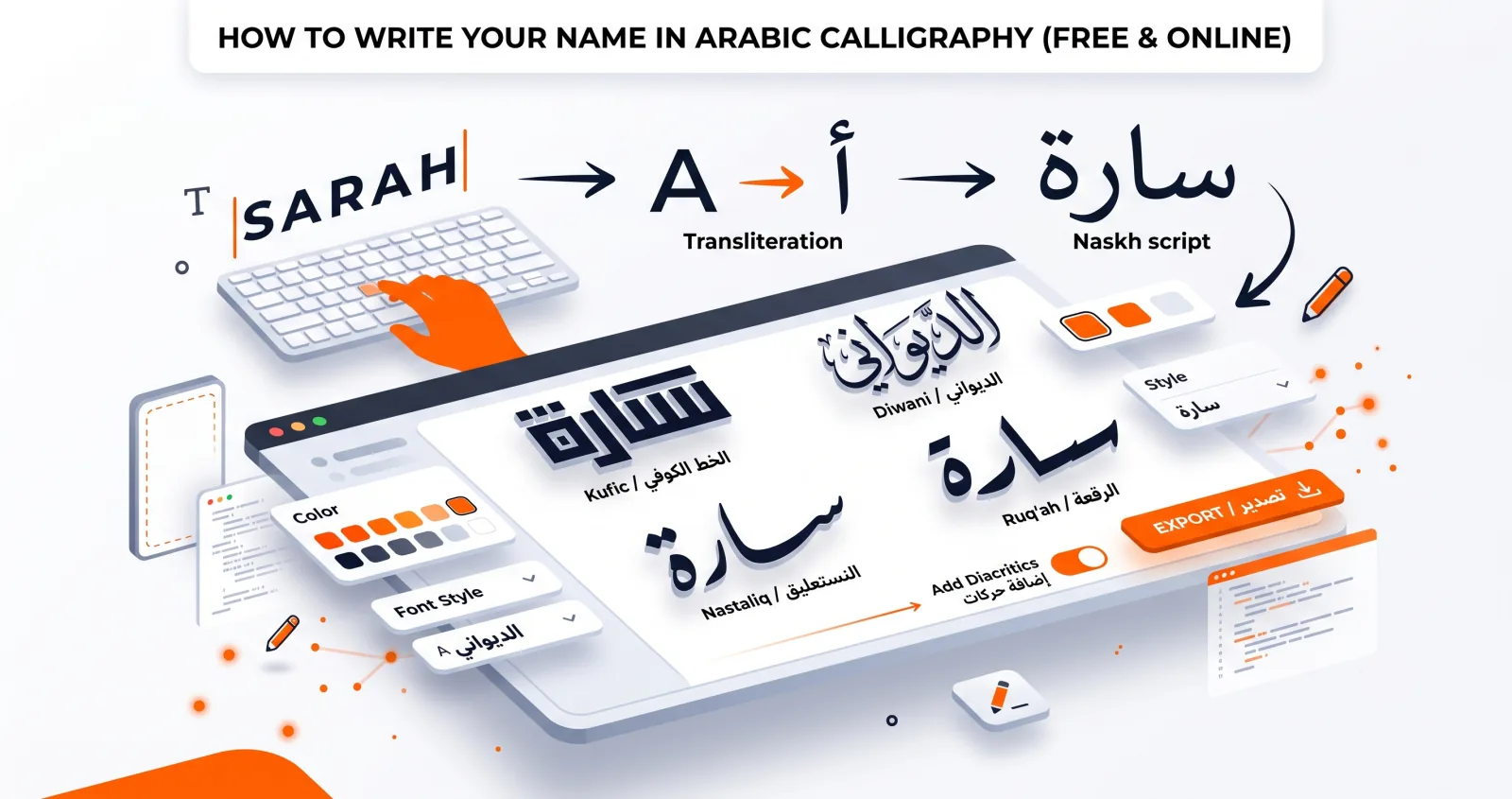
Few things feel as personal as seeing your own name written in elegant Arabic calligraphy. Whether you want it for a profile picture, a tattoo reference, a gift, or wall art, you can create it yourself in a few minutes — no design skills required. Here's how, including the transliteration part that most guides skip.
Step 1: Get your name in Arabic letters
If your name is already Arabic, you're ready to go. If it isn't, you first need its Arabic spelling — a transliteration that matches the sounds of your name rather than its letters.
This is the step that goes wrong most often, so it's worth understanding.
How Arabic handles vowels
Arabic writes long vowels as full letters and short vowels as optional marks. In practice, when transliterating a foreign name you spell out the long vowels and let the short ones go unwritten:
- ا (alif) — long "aa," as in the a of Sarah
- و (waw) — long "uu" or "oo," and also the o sound
- ي (ya) — long "ii" or "ee," and also the e sound
So Nour becomes نور (n-w-r) and Lina becomes لينا (l-y-n-a).
Sounds Arabic doesn't have
A handful of common European sounds have no exact Arabic equivalent, and different regions solve them differently:
| Sound | Common solutions | Note |
|---|---|---|
| P | ب (b) or پ | پ is Persian/Urdu, not standard Arabic. Peter → بيتر |
| V | ف (f) or ڤ | ڤ is used in North Africa and Egypt. Victor → فيكتور |
| G (hard) | ج، غ، or ڨ | Varies hugely by region — Egyptian ج is a hard g, elsewhere it's j |
| Ch (as in church) | تش | Two letters. Charles → تشارلز |
| Th (as in think) | ث | A genuine match |
| O / E | و / ي | Written as long vowels |
Common names as a starting point
| Name | Arabic | Name | Arabic |
|---|---|---|---|
| Sarah | سارة | David | ديفيد |
| Maria | ماريا | Thomas | توماس |
| Anna | آنا | Michael | مايكل |
| Sofia | صوفيا | Daniel | دانيال |
| Emma | إيما | Adam | آدم |
| Layla | ليلى | Omar | عمر |
| Nour | نور | Yusuf | يوسف |
| Amira | أميرة | Karim | كريم |
Note that the last eight are Arabic names already, with established spellings — don't transliterate them phonetically from English, use the real form.
Names with meaning
Many names have an Arabic equivalent rather than a transliteration, because they share a root through Hebrew, Aramaic or Greek:
- John → يحيى (Yahya) or يوحنا (Yuhanna)
- Joseph → يوسف (Yusuf)
- Mary → مريم (Maryam)
- Abraham → إبراهيم (Ibrahim)
- Moses → موسى (Musa)
- Alexander → إسكندر (Iskandar)
These are usually the better choice, since they're real names in Arabic rather than phonetic approximations. Which you want depends on whether you're after "my name, spelled in Arabic" or "the Arabic version of my name" — they're different things, and worth deciding deliberately.
Getting it verified
Machine transliteration is unreliable for names. Before you commit:
- Search the name plus "بالعربي" to see how it's commonly written.
- Compare two or three sources — names often have more than one accepted spelling, and that's fine.
- Ask a fluent speaker. This is the only step that actually guarantees correctness, and it takes one message.
Step 2: Open the calligraphy generator
Head to the Arabic calligraphy generator and type or paste your name into the text box. It renders instantly as you type, so you can see exactly how it looks.
If the letters appear disconnected — like س ا ر ة instead of سارة — the text was copied from a source that broke the connections. Retype it or copy from a different source.
Step 3: Choose a calligraphy style
This is where your name gets its character. Try several:
- Diwani (Aref Ruqaa) for a flowing, ornate, regal look.
- Nastaliq (Gulzar) for soft, poetic elegance — set the line height high.
- Kufic (Reem Kufi) for a bold, geometric, modern feel. The best choice if it's going to be a logo or a small avatar.
- Naskh (Amiri) for a clean, classic, highly readable result.
Short names behave differently from long ones. A three-letter name like نور has room for an ornate hand to show off; a longer name like عبد الرحمن will look cluttered in Diwani and much better in Naskh or a modern face.
Not sure which to pick? Our guide to Arabic calligraphy styles breaks down the mood of each one, and the font guide covers what each face is good and bad at.
Step 4: Add harakat if you want them
Harakat (diacritics) are the small marks indicating short vowels. They aren't required for a name, and most Arabic speakers write names without them.
Add them if you want visual rhythm and extra detail, or if the name has an ambiguous reading. Leave them off if the design is going to be a logo or reproduced small. If you do use them, raise the line height and pick Amiri or Scheherazade — our harakat guide explains why the display fonts crush them.
Step 5: Style the colour and background
Now make it yours:
- Use a solid or gradient ink colour to match your brand or aesthetic. Gradients only work on heavy hands — on a thin script they just look muddy.
- Choose a transparent background if you want to place the name over a photo or design. Remember that only PNG preserves transparency.
- Add a subtle shadow for depth, particularly if the name will sit over a busy image.
Step 6: Export your image
Export a high-resolution PNG (which keeps transparency) or JPG. The file is generated in your browser, so what you see is exactly what you download, and nothing you typed was uploaded anywhere.
Pick the preset that matches the destination: Square for an avatar, Portrait for a print, Wide for a banner.
Ideas for using your name art
- A unique profile picture or social media banner.
- A personalised gift — printed, framed, or on a mug.
- A reference design to discuss with a tattoo artist.
- A custom wedding monogram combining two names (see our wedding calligraphy ideas).
- The starting point for a personal logo — turn your name into a calligraphic wordmark.
- An animated signature for video intros and outros, using the video studio.
Before you print — or tattoo
Transliteration is approximate and mistakes are permanent, so:
- Verify with a fluent speaker, not a translation app. Machine tools regularly produce names that are misspelled, reversed, or accidentally a different word.
- Check the letters are connected. Disconnected Arabic is the single most common giveaway of a design made by someone who doesn't read the script. It's the tattoo equivalent of a typo, and it's very visible to anyone who does read Arabic.
- Check the orientation. Arabic reads right to left. A design flipped horizontally — which happens easily when mirroring artwork — is nonsense.
- Confirm the meaning, not just the spelling. Some phonetic transliterations accidentally spell real Arabic words. Ask what it says, not just whether it's spelled right.
- For tattoos, print it at final size first and look at it for a few days. Fine strokes that look elegant on screen can blur once ink spreads under skin — which is an argument for a heavier hand like Reem Kufi over a delicate Diwani.
Ready to see your name as art? Open the studio and start typing →